
How to Create Low Poly Optimized Assets for Modern Game Engines
by Animatics Asset Store in Blog on November 17, 2025Creating low poly optimized assets isn’t just a buzz-term, it’s a vital skill for modern game development. In this article we’ll walk through everything: why you do it, how you do it, and how to embed these assets into a pipeline that keeps your frame rate high, your build size low, and your game fun.
Why Focus on Low Poly Optimized Assets?
When you develop a game using a modern engine like Unity or Unreal Engine, you’re balancing visuals and performance.
Low poly optimized assets let you support more devices, hit higher framerates, and streamline development.
- The term “low poly” means fewer polygons. Fewer means less processing overhead for rendering. Prolific Studio+1
- According to optimization guidelines, you should keep polygon counts extremely low for characters (1,000-5,000) when targeting real-time games. Alpha 3D+1
- For mobile games in particular: you focus on the silhouette, use LOD, combine meshes, reduce texture size, all to keep your draw calls and GPU workload manageable. Unity+1
In short: if you don’t optimize your assets, you’ll hit performance walls, especially on lower-end devices. Low poly optimized assets help avoid that.
Planning & Setup:
Before you start modelling or texturing, you must plan. Here are the things you should define:
Target hardware & engine
Decide early whether this asset will run on PC, console, mobile or VR. If mobile, your poly-budget might be 500-1,000 polys for background props.
Define whether you are using Unity, Unreal, or another engine. Each has different import/export workflows and features (e.g., LOD systems, mesh instancing, draw-call limitations).
Asset role in scene
Is the object a hero character, a mid-ground object, or a distant background prop?
- Hero character: you may allow more detail (say up to 5k polys).
- Background prop: keep poly count very low, reuse materials.
This kind of role-based budgeting is part of the “optimized assets” mindset. RetroStyle Games+1
Style & silhouette
Especially for low poly art, decide the visual style: blocky geometric, stylized, or a hybrid. A good silhouette helps readability and uses fewer polygons effectively.
Texture budget and material constraints
This is part of optimization: limit texture size (e.g., 1024×1024 or 512×512 for less important assets).
Also decide if you’ll use baked lighting or real-time. Fewer materials = fewer draw calls.
Modeling: How to Build Low Poly Assets
1. Start with clean topology
Making sure your mesh flows makes it easier to reduce polygons without looking bad. Good edge loops, proper face sizes all ofthese matter. If you skip this, you’ll find artifacts or awkward smoothing later.
2. Reduce polygon count thoughtfully
You want to keep the mesh lightweight but maintain the silhouette. Remove faces that won’t be seen.
For example: flat surfaces facing away from view or hidden edges.
According to guidance: limit the poly count for characters to roughly 1,000-5,000 polygons.
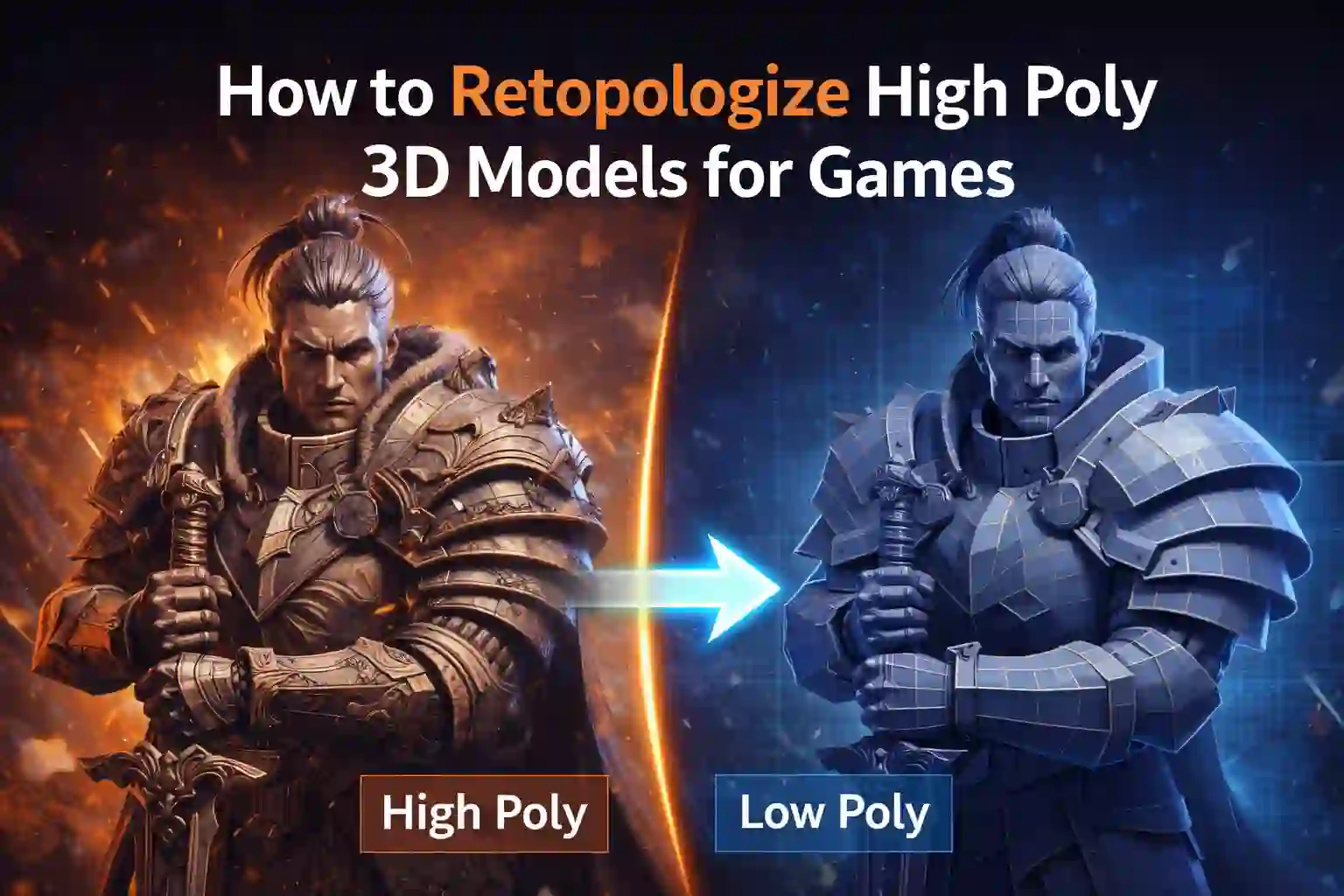
3. Use normal maps or baked details
One of the best tricks: model a high-poly version (if needed), bake its details into normal maps, then apply them to the low-poly version. You get visual richness with fewer polys.
4. Use instancing and reuse assets
If many objects use the same mesh or material but just transform or recolor, that saves memory and draw calls. This is especially relevant for background props. RetroStyle Games
5. Create Levels of Detail (LOD)
Set up multiple versions of your asset: high poly for close-up, medium poly for mid-distance, low poly for far away. Then let the engine switch them. This saves GPU workload.
Texturing & Materials:
You’ve optimized your geometry, now make sure your textures and materials also don’t weigh down the system.
Texture size and compression
Use the smallest size that still looks good. On mobile or lower-end hardware, 512×512 may be more than enough.
Compress textures. Unity and Unreal both support hardware texture compression. This reduces memory usage and improves load times.
Material count minimization
Every material means a draw call (or more). Combining materials on an object or sharing a material across many objects reduces draw calls. Use atlases or shared texture maps when possible.
From best-practice articles: combining meshes, using texture atlases, and reducing material complexity matter.
Efficient shader usage
When you pick or write shaders, ensure they are as simple as possible. Minimizing texture samples and complex lighting calculations will help performance.
Export & Engine Integration
Once modelling and texturing are done, you move to export/import. Here are essential steps.
Format & naming conventions
Choose an engine-friendly format (e.g., FBX or OBJ for most engines). Clean up your mesh (no non-manifold edges, isolated vertices, etc).
Use consistent naming so that team members or version control systems track assets easily.
Import settings and scale
In your engine (Unity or Unreal or other), ensure scale is correct (e.g., 1 unit = 1 meter). Also check normals, tangents, and any mesh optimizations the engine offers (like mesh compression or static batching).
Set up LODs in the engine
If you created multiple LOD meshes, link them properly so the engine switches between them at distances. This ensures your low poly optimized assets are used best.
Combine with occlusion & instancing
Use the engine’s features such as occlusion culling (objects hidden behind walls are not drawn) and instancing (multiple copies of the same mesh share resources). Unity’s mobile optimization guide emphasises this. Unity
Testing & Profiling:
You might have created great assets, but if the performance is still low, you need to profile and find the bottlenecks.
- Run the scene and check draw calls, GPU time, FPS, memory usage.
- Inspect your asset’s contribution: is it costing too much in terms of polygons, textures, or materials?
- Use simplified test scenes: try swapping your asset with a less-optimized version and see how performance changes.
- For background props, use very low detail meshes (e.g., under 500 polys) and bake high details into textures if needed. Pixune
Workflow Tips & Practical Advice
Here are some humanised tips that will help your process:
- Iterate early: Create a rough version of your asset and drop it in the engine to see whether it “feels right”. Don’t wait till it’s “perfect”.
- Keep the silhouette readable: Even simple assets benefit from a strong silhouette. Players will recognise the shape.
- Reuse where possible: Especially in environment design, repetition of objects with slight variation saves time and performance budget.
- Document your budgets: Poly count, texture size, materials per asset—write them down and stick to them.
- Check multiple platforms: If targeting mobile + PC, test on the weakest device to ensure your low poly optimized assets hold up.
- Stay flexible: Perhaps you create for PC and later need mobile – having optimized assets means fewer headaches.
Ready-Made Assets & Free Resources
If you don’t have time or budget to build every asset from scratch, there are good sources of free and affordable assets. One valuable and often overlooked resource is the asset store from animatics store style websites. For example, you might explore platforms offering collections of free 3D assets designed for game engine use. These can serve as solid starting points or placeholders during early development.
Using ready-made assets can accelerate your pipeline, but always check that they are optimized: low polygon count, proper UVs, good materials, and compatible with your target engine. Re-export them or adjust as needed so they adhere to your budgets for low poly optimized assets.
Conclusion
Creating low poly optimized assets for modern game engines is a balance: you want visual quality, but you also need performance. If you follow the steps above, you’ll equip your games to run smoothly across many devices.
Remember: the goal is not to strip away all detail, but to focus only on what matters, reuse smartly, and let your engine do less work behind the scenes. Your game will feel smoother, load faster, and be ready for more players.
Happy modelling and may your polygon budget stay low, your silhouette strong, and your framerate high!
Latest Blog